Announcement: Come and customize your favorite cycling jersey.
CHECK NOW-
Categories
- Casual Cycling Clothing Mens
- Customizable Cycling Jersey
- Customizable Cycling Helmet
- Customizable Cycling Bib
- Customizable Cycling Gloves
- Customizable Cycling Shoes
- Customizable Cycling Full Set
- Customizable Cycling Socks
- Jersey Short Sleeve
- Bib Shorts Mens
- Compression Sock
- Gloves Summer Mens
- Jackets Mens
- Jersey Short Sleeve Mens
- Vests Mens
- Helmets
- Winter Glove
Casual Cycling Clothing Mens

DES3D
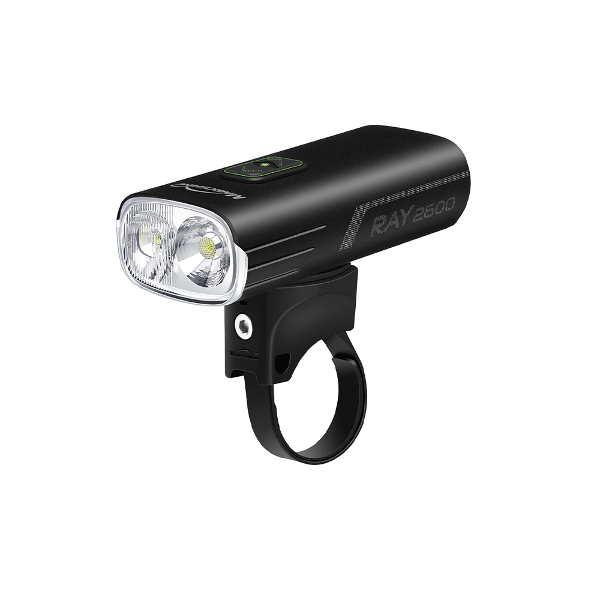
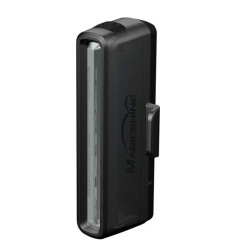
MAGICSHINE Ray 2600 - Front Light - USB C - Garmin Mount - IPX6 - Remote Control sold separatelty
$240.00
Availability:
In Stock
Condition:
New

RAY 2600 is a very powerful bike headlight offering an optimized beam pattern combining a wide flood beam and a far-reaching spot beam, smart mode incorporating motion and light sensor. 2600 lumens of max verified output from 2x Luminus SST-40 LEDs 183m max beam distance, 8400CD beam intensity Spot/flood/hybrid beams with 4 brightness modes 1 flash mode 1.5 hours runtime on full brightness, hybrid beam mode Smart mode: automatic standby and brightness adjustment Garmin handlebar mount, (helmet mount not included) USB-C charging and discharging Lock function to prevent accidental clicks Wired remote control for quick access IPX6 Waterproof rating Mode Selection: When the light is OFF, press both the up and down buttons at the same time to enter mode selection. The color of the buttons will turn BLUE. Now, press UP to enter Smart Mode, indicated by steady blue light. Press DOWN to enter Regular Mode, indicated by flashing blue light. Press both the UP and DOWN button at the same time once more to confirm mode selection.
Technical Details
| Brand: | MAGICSHINE |
|---|---|
| Model number: | MS-RAY2600 |
| Part Number: | MS-RAY2600 |
| Seller SKU: | MS-RAY2600 |
| Condition: | New |
| Availability: | In Stock |
| Minimum order quantity: | 1 |
| Shipping weight: | 0.00 g |
| Date first listed on Oxman Marketplace : | Apr 30, 2023 |
RAY 2600 is a very powerful bike headlight offering an optimized beam pattern combining a wide flood beam and a far-reaching spot beam, smart mode incorporating motion and light sensor. 2600 lumens of max verified output from 2x Luminus SST-40 LEDs 183m max beam distance, 8400CD beam intensity Spot/flood/hybrid beams with 4 brightness modes 1 flash mode 1.5 hours runtime on full brightness, hybrid beam mode Smart mode: automatic standby and brightness adjustment Garmin handlebar mount, (helmet mount not included) USB-C charging and discharging Lock function to prevent accidental clicks Wired remote control for quick access IPX6 Waterproof rating Mode Selection: When the light is OFF, press both the up and down buttons at the same time to enter mode selection. The color of the buttons will turn BLUE. Now, press UP to enter Smart Mode, indicated by steady blue light. Press DOWN to enter Regular Mode, indicated by flashing blue light. Press both the UP and DOWN button at the same time once more to confirm mode selection.
Seller Info
WelcomeNo reviews
Related Items

You Viewed Recently

Welcome

DES3D MERCHANT ADMIN
Dhaka, Dhaka
admin@des3d.com
Dhaka, Dhaka
admin@des3d.com
No reviews
